
Your rough cut,
assembled while you get coffee.
Zensho transcribes your footage, cuts the dead air and false starts with AI, and hands the decisions back to you as text you can edit — then exports a real timeline your NLE already speaks.
Free while in beta · Bring your own API keys · No account required to edit
Transcript · AI review pass
Okay so— um, let me just, start that again. Welcome back to the channel. Today, uh, today we're gonna we're building a lamp from scratch, no wait, sorry, walnut and brass, start to finish. like i said before, First thing we do is rough-cut the base.
Runs on tools you already trust
- Deepgram transcription
- OpenAI · Anthropic · your keys
- OpenTimelineIO
- DaVinci Resolve
- Adobe Premiere Pro
- FFmpeg
Three passes. You only do the last one.
Zensho splits editing into what a machine is good at and what a person is good at — transcription and pattern-matching go to the AI, taste stays with you.
Drop in your footage
Import a screencast or facecam. Zensho extracts just the audio track and sends that off for transcription — every word comes back with a timestamp in seconds.
00:00 → transcribeThe AI drafts a rough cut
An LLM reads the transcript and marks the stutters, silences and rambling for removal — then you review its calls as plain text, not a scrub bar.
draft 1 → your reviewExport a real timeline
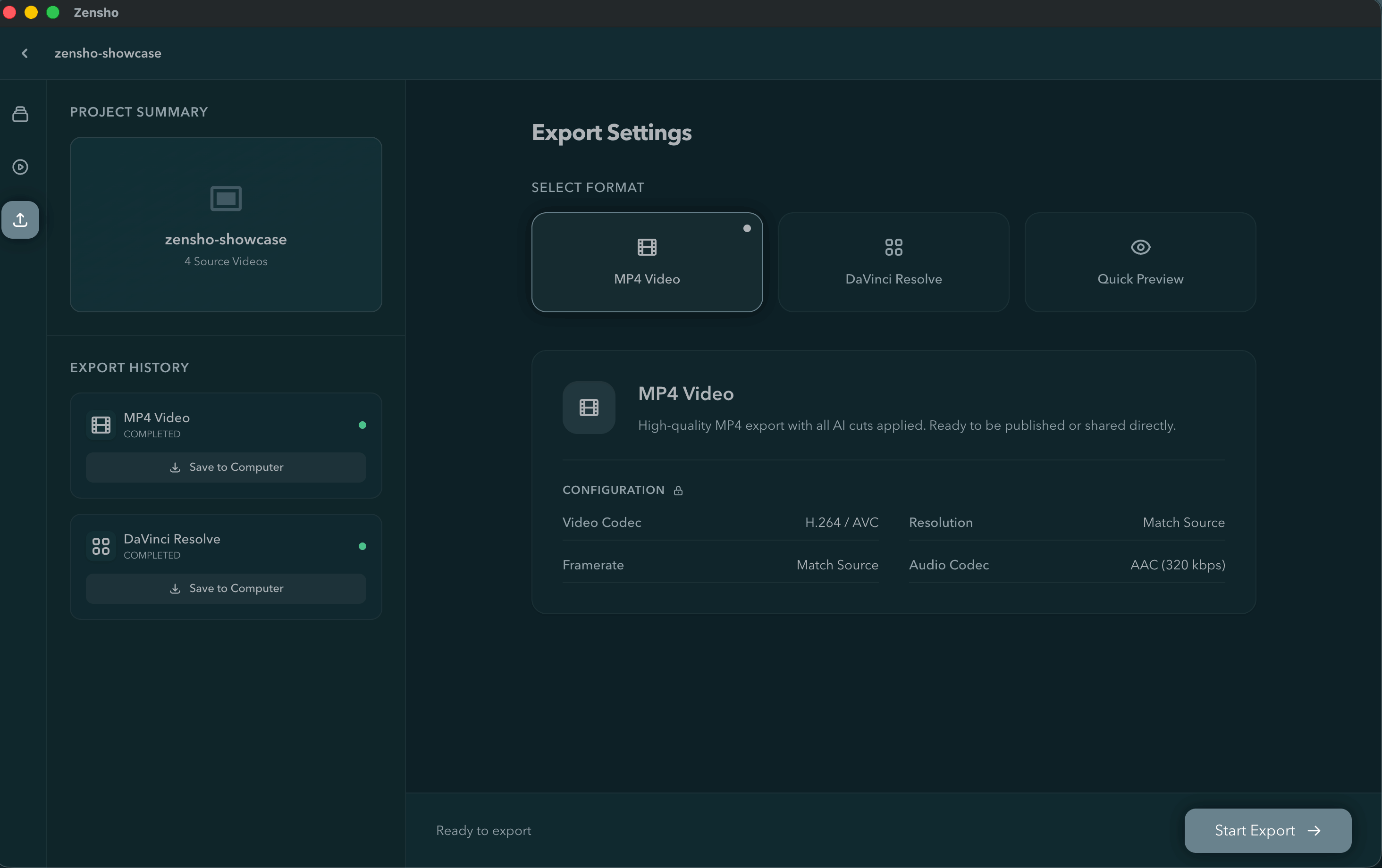
Send a fully-formed .otio timeline straight into DaVinci Resolve or Premiere Pro. Every cut, clip and gap carries over — nothing gets baked in.
cut.otio → NLEEdit the transcript.
Watch the timeline follow.
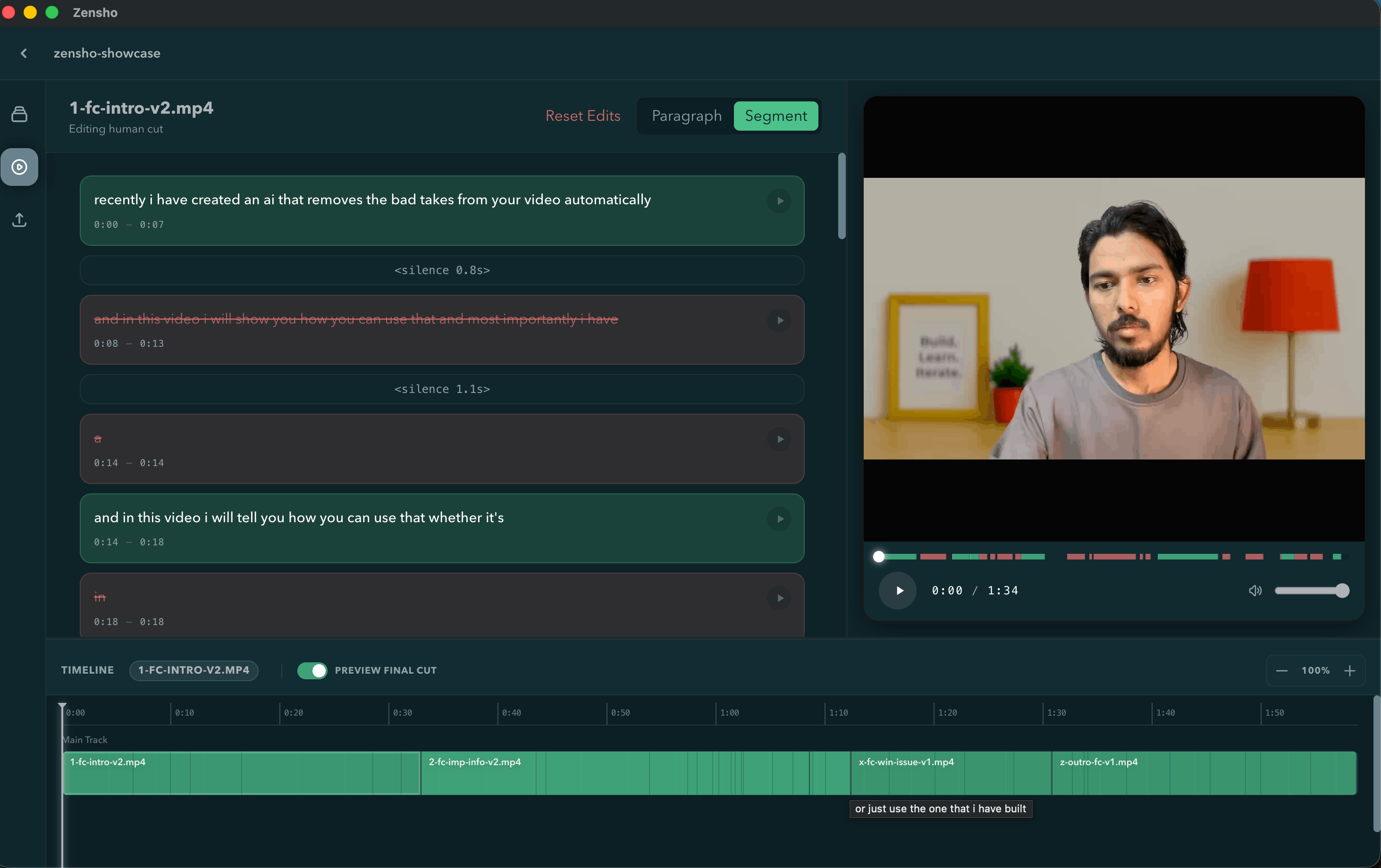
The AI's cut is a first draft, not a verdict. Split a segment, restore a trimmed clip, or rewrite a line — Zensho keeps the text and the footage in lockstep so editing reads like proofreading.
Split, merge, or restore any segment — the AI's pass is always fully reversible.
Finish the story where you always finish it.
Zensho was never meant to replace your editing suite — it front-loads the tedious 80% so you land in Resolve or Premiere with a real, editable cut instead of a blank timeline.
- Strictly-compliant .otio timelines — the same interchange format professional pipelines use
- Opens straight into DaVinci Resolve or Adobe Premiere Pro with clips, gaps and cuts intact
- Nothing is baked in or rendered out — you keep full color, audio and effects control downstream
Everything a real project needs.
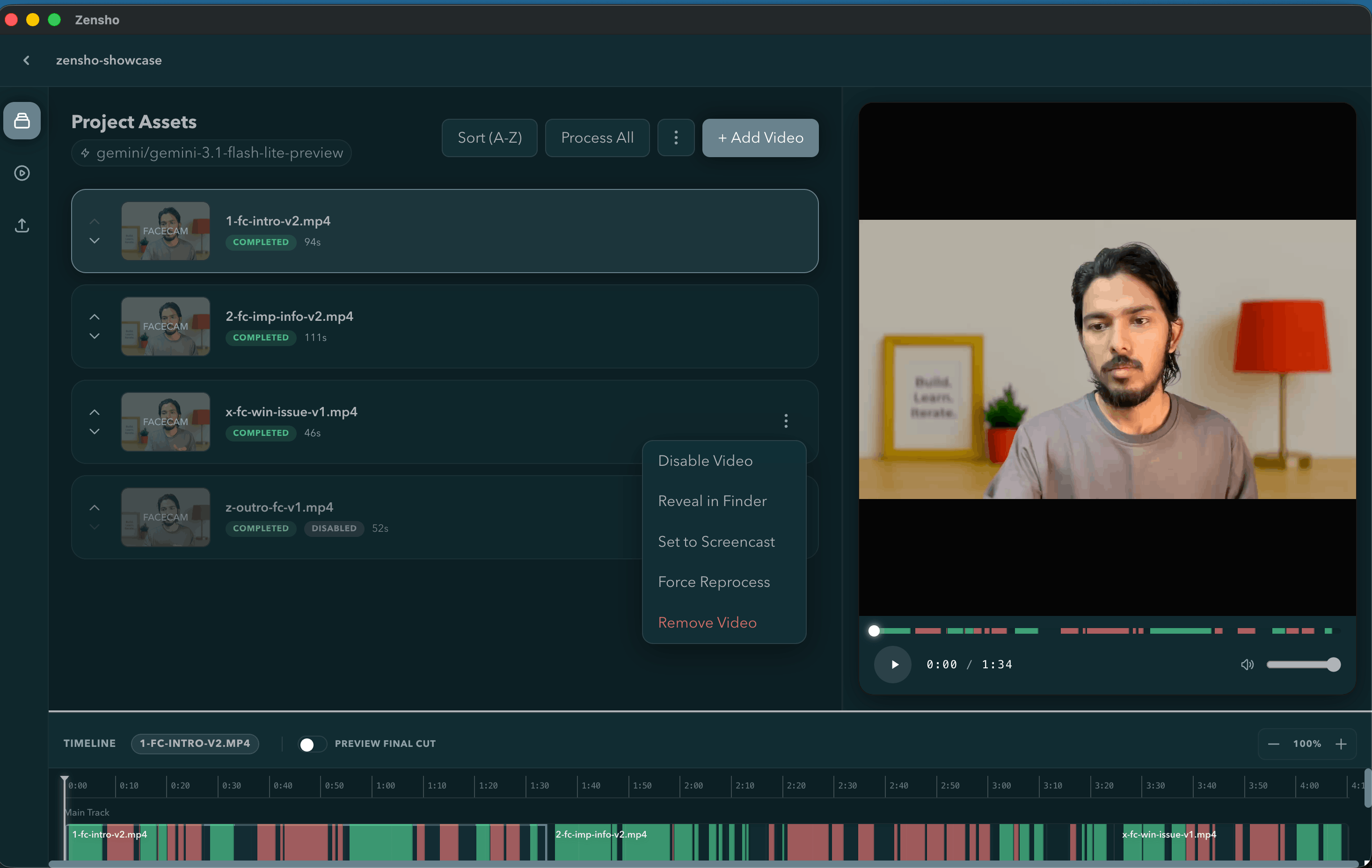
Projects that hold every asset
Raw takes, generated transcripts, and exports live together in one project — organized the way you'd organize a bin in any real NLE.
Your models, your rules
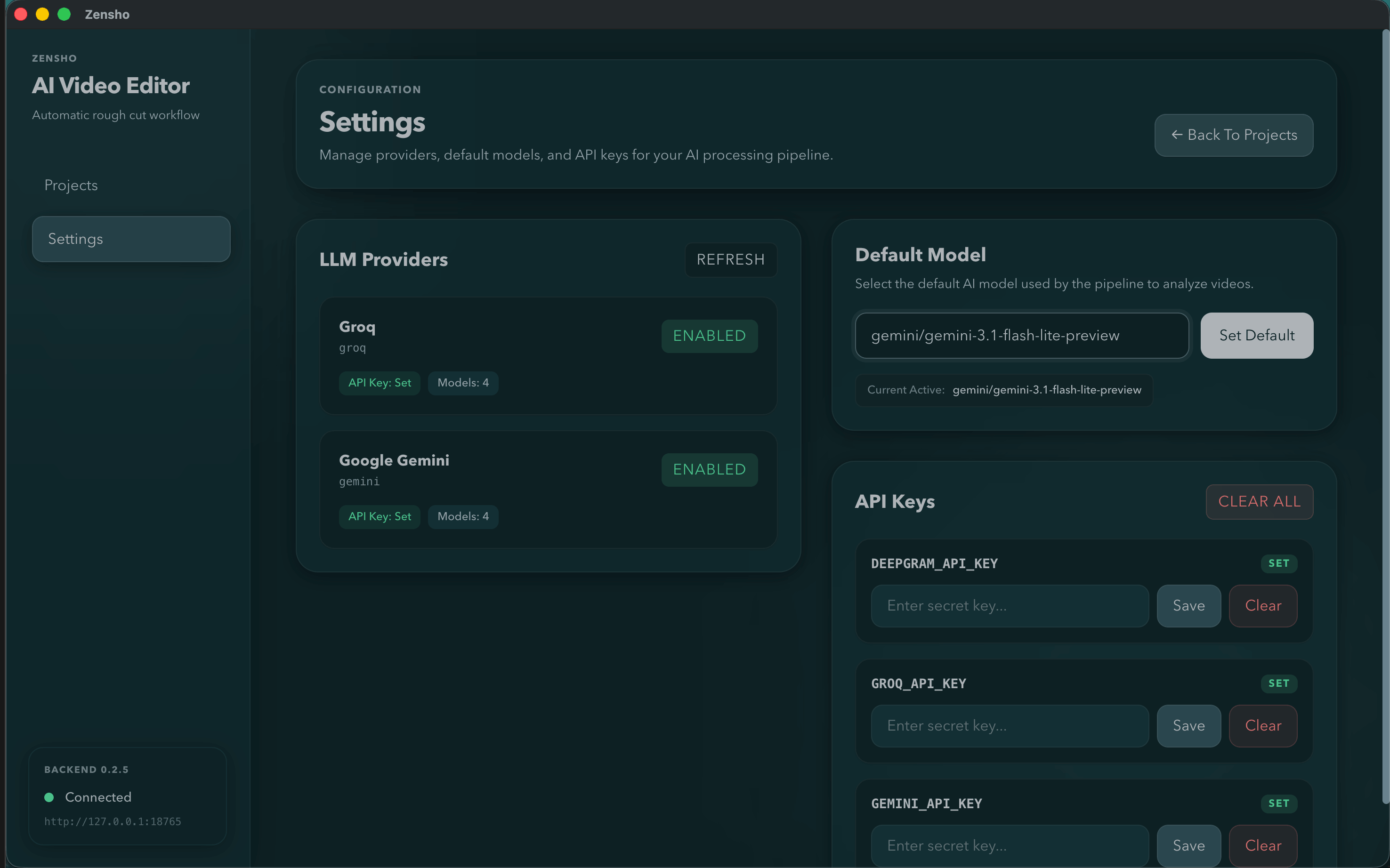
Set which transcription and LLM providers to use, tune how aggressively silences get trimmed, and store keys locally.
Built for long-form, not just clips
Screencasts, tutorials, podcasts-to-video — the rough-cut pass scales to hour-long takes the same way it scales to five minutes.
A 40GB project has no business
going through a browser upload bar.
Zensho installs like a real application because video editing is a real, heavy, local task. Here's exactly what does and doesn't leave your machine.
Your machine
video · audio · project files
Your providers
Deepgram · OpenAI · Anthropic
video file: never sent · audio + transcript only, for processing
Your media never leaves your drive
Zensho reads video straight off your disk. There's no upload step, no cloud render queue, no copy sitting on someone else's storage.
Only audio and text travel
The extracted audio track goes to Deepgram for transcription, and the resulting text goes to your chosen LLM for the rough-cut pass. The video file itself never leaves your disk.
Bring your own keys
Connect your own OpenAI, Anthropic or Deepgram account. No proprietary subscription, no middleman logging your usage.
A native app, not a tab
Built on Electron with a local FastAPI backend bound to 127.0.0.1 — it behaves like the desktop software it is, not a website wearing an app icon.
Install it like software, because it is software.
No browser tab, no upload progress bar, no waiting on someone else's render farm. Just your footage and your editor.
Or build it from source